


Relay Services & apps
Mini PCs
In the meter cupboard or on your desk: the Relay and all your apps on one quiet box.
Apple Mac mini · Topton · Beelink · Minisforum · Intel N100 · AMD Ryzen
For developers · hardware you own · your own domain
You don't need a third-party cloud account to put something on the internet. A phone, a Raspberry Pi or the laptop in front of you. One Viaalink Relay. Your own domain. That is the whole stack.
Made in the Netherlands 🇳🇱 🇪🇺 · Runs on Linux, macOS, Docker and NAS · Open app registry
Who it's for
via expose 3000 gives a port on your machine a public HTTPS address through your Viaalink Relay.
The Viaalink CLIHost sites and tools for customers on their own domain. Partner terms on the license, on request.
PartnersIn a pipeline, the runner connects to your Viaalink Relay with its own SSH key. via expose gives the app your job started an HTTPS address on your domain for your tests and reviewers, and via expose stop takes it away when the job is done.
Using via in CI/CDHow the system works
Your devices connect out to one Relay. The Relay holds your domain and sends every visitor to the right device. Pick where the Relay lives, then send a request and follow it.

 A visitortypes git.kelvin.example

 DNS*.kelvin.example → Relay
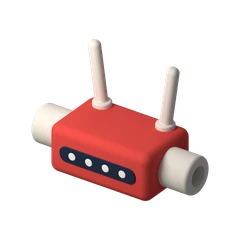
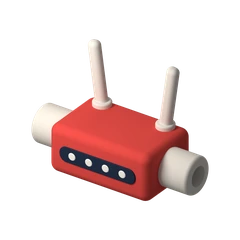 Your routerforwards 443 to the Relay

 Viaalink Relayholds the domain and HTTPS
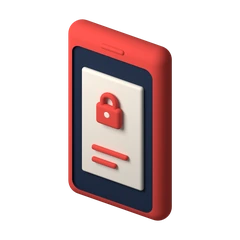
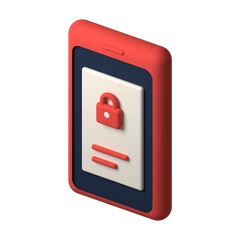 Phone · Notetaker notes.kelvin.example

 Raspberry Pi · Gitea git.kelvin.example

 Laptop · your project dev.kelvin.example
Follow one request from a visitor to Gitea on your Raspberry Pi, and back.
A phone, a Raspberry Pi, the laptop you build on. They stay behind your router, without a public address of their own.
One machine that stays on holds your domain and the HTTPS certificates. At home your router forwards 80 and 443 to it. On a VPS nothing is forwarded.


Each device keeps one connection open to the Relay. No port forwarding per device, and it works from a café or a train.


notes, git and dev.kelvin.example: one domain, as many names as you have devices.


The Relay reads the name and hands the request down the right connection. HTTPS all the way.


via up publishes the services in your project file. via expose 8080 publishes one port. Same Relay, new names.
The full Relay walkthrough Previews for your branches with the via CLI
Cloud or your own hardware
An honest comparison. The cloud is faster to start, and someone else keeps it running. Most other things favour the machine on your desk.

A bill every month

Paid once
| Cloud platform | Your hardware + a Relay | |
|---|---|---|
| What you pay | A monthly bill that grows with use and with every user. | The machine once, a domain name, and one Relay license per year. |
| Where your data is | Their datacenter, their region, their terms. | In your room. You can point at it. |
| When you stop paying | Your project goes offline. Export what you can. | The machine and everything on it are still yours. |
| Your address | project.platform.app, until the platform changes. | name.yourdomain, for as long as you hold the domain. |
| What you learn | Their console. | Linux, Docker, DNS, HTTPS. Skills that transfer. |
| Who keeps it running | They do. Outages are theirs to fix. | You do. If the machine is off, the site is off. |
If you never want to think about a machine, use the cloud. If you want to own the thing you built, keep reading.
What we use
These are the tools behind Viaalink, and why we use them. They are not apps in the catalog: they run next to the via CLI, and commands such as via terminal and via codeserver start connect them through your Viaalink Relay, so you can work on them together.
$ via codeserver start ttyd github.com/tsl0922/ttyd A terminal in the browser. We use it to look at one machine together, without handing out SSH keys. $ via terminal mitmproxy mitmproxy.org When something breaks, we look at exactly which requests pass through. TypeScript typescriptlang.org Our Caddy API client and this website are written in it. Go go.dev For command-line tools that should be one small file on every platform. Inspiration
The machine runs your Viaalink Relay: the front door that gives your devices an address on your domain.
The machine runs your websites, services and apps. They reach the world through a Relay, at home or in the cloud.
In the meter cupboard or on your desk: the Relay and all your apps on one quiet box.
Apple Mac mini · Topton · Beelink · Minisforum · Intel N100 · AMD Ryzen

Local models next to your own services, reachable through your Relay.
NVIDIA Jetson · AMD Ryzen AI · Apple silicon

Your files are already there. Run the Relay and your services in Docker.
ASUSTOR · Synology Plus · QNAP · any NAS that runs Docker

Small enough for behind the TV: a Relay, or one site that goes online through a Relay.
Raspberry Pi · Orange Pi · Radxa · arm64

A phone from the drawer, running Linux, as a spare Relay.
postmarketOS · Mobian · arm64

Put a single Relay on a VPS at a European provider. Your own hardware hosts your websites, services and work.
Your first Relay
Start with what is on your desk. A new Relay runs 14 days without a license; after that, Free is one e-mail sign-in away.

A Raspberry Pi, a mini PC, an old laptop, a NAS. amd64, arm64 or armv6.
Any registrar. Point it at your home connection, or at your VPS.
Linux service, Docker Compose or the NAS app. Your router forwards 80 and 443, or the VPS does it for you.
via expose 3000 on your laptop puts your first project on your domain. Then add the phone, then the Pi.
What it cannot do
We would rather you know this before you start than after.
Contact
Questions about Viaalink Relay or the CLI? Write directly.


